Ads.
Your ids, your networks, off by default.
The app can show banner, interstitial, native, app-open and rewarded ads from AdMob, Unity Ads or ironSource LevelPlay, from one network or a waterfall per format. Each network is your own publisher account. No ad id of the author ships: only Google's public AdMob test ids, which you replace.
01Your own ids are required
You must supply every monetisation id yourself. The item earns nothing and shows no ad until you do, and none of these values is in the download as a default or a fallback:
| What you supply | Where you get it | Where you put it |
|---|---|---|
| Your AdMob app id for Android and for iOS | AdMob → Apps → App settings | AndroidManifest.xml and Info.plist (step 1); they replace Google's two published test app ids, the only AdMob values in the native files |
| Your AdMob ad unit ids (banner, interstitial, native, app-open, rewarded, per platform) | AdMob → Apps → Ad units | Console → AdMob ids |
| Your Unity Ads game ids and placements | Unity Cloud → Monetization | Console → Unity Ads ids |
| Your ironSource LevelPlay app keys and units | LevelPlay dashboard | Console → ironSource LevelPlay ids |
| Your Google Play and App Store product ids for every plan period, credit pack and Remove ads | Play Console and App Store Connect, where you create the products and set the prices | Console → Plans and Store & purchases (In-app purchases) |
What the download contains instead: empty unit, game-id, app-key and credential fields in the app model, the backend defaults and the console (28 fields, each with a test that fails if it stops being empty); placeholder product names such as pro_monthly that belong to no store account; Google's two published test app ids in the native files, which the Google SDK needs to start and which you replace; and a Firebase placeholder (app/lib/firebase_options.dart with empty apiKey and appId and the emulator project id demo-drawlogue; no google-services.json or GoogleService-Info.plist is included). No ad unit id, not even a test unit, is compiled into the app: an empty field shows no ad in debug and release builds alike (how an id travels).
02What ships in the code
An ad id tells a network whose app is showing the ad and who gets paid. The source contains no real ad id, so you put in your own.
| Id | Where it lives | What ships |
|---|---|---|
| AdMob app id, Android | android/app/src/main/AndroidManifest.xml, com.google.android.gms.ads.APPLICATION_ID | Google's test app id ca-app-pub-3940256099942544~3347511713 |
| AdMob app id, iOS | ios/Runner/Info.plist, GADApplicationIdentifier | Google's test app id ca-app-pub-3940256099942544~1458002511 |
| AdMob ad unit ids | Console → AdMob ids | Empty. No fallback in any build: an empty unit shows no ad of that format. For development, paste Google's test units (links below) into the console. |
| Unity Ads game ids and units | Console → Unity Ads ids | Empty; no game id in the native files. The Unity SDK's test mode is on in debug builds only. |
| ironSource LevelPlay app keys and units | Console → ironSource LevelPlay ids | Empty |
Google publishes test unit ids for development: Android test ads, iOS test ads. They are not in the code; paste them into the console while you develop and replace them with your own units before release. The web demo shows simulated, labelled "DEMO AD" placeholders and contacts no network.
03Where ad credentials are handled
No ad credential of the author is compiled into the app, the backend or the console, as a default or as a fallback. Every id you enter travels one way only:
- You enter itin the console (AdMob ids, Unity Ads ids, ironSource LevelPlay ids). The console stores it and writes it to the Firestore document
config/public, fieldads.admob,ads.unityorads.ironsource(schema). - The app reads itfrom
GET /v1/configwhen it starts (app/lib/data/models/ads_config.dart) and hands it to the network SDK (app/lib/ads/native_adapters.dart). - An empty fieldmeans no ad of that format, in debug and release builds alike. The app holds no fallback unit id, not even Google's test units; while you develop, paste Google's published test units into the console yourself and replace them before release. Unity Ads and LevelPlay are used only when their game id / app key and the rewarded unit are set.
| Credential | Default in the shipped code |
|---|---|
| AdMob app id (native files) | Google's public test app id, ca-app-pub-3940256099942544~…, which earns nothing |
| AdMob unit ids (12 fields) | Empty string |
| Unity Ads game ids and units (8 fields) | Empty string; no Unity id in AndroidManifest.xml or Info.plist |
| ironSource LevelPlay app keys and units (8 fields) | Empty string; no LevelPlay key in the native files |
| AdMob reporting credentials | Empty; optional, stored encrypted in config/private |
The 28 empty defaults are in three files, and each has a test that fails if one of them stops being an empty string:
| Where the default lives | What it is | Test |
|---|---|---|
admin/src/manifest.ts, networkSection | The 28 console fields (default: "") | admin/test/manifest.test.ts |
firebase/functions/src/api/defaults.ts, DEFAULT_PUBLIC.ads | What the backend answers before the console has saved anything | firebase/functions/test/unit/defaults.test.ts |
app/lib/data/models/ads_config.dart, AdUnits | What the app assumes when a field is missing | app/test/ad_defaults_test.dart |
Check it yourself: tool/check_ad_ids.sh (below) searches the app for any AdMob id that is not Google's test id and for Unity or LevelPlay keys in the native configuration. A search of the whole download for ca-app-pub- finds only Google's test publisher 3940256099942544.
04Check that no foreign id ships
From app/:
tool/check_ad_ids.sh            # fails if any non-test ad id is hard-coded
tool/check_ad_ids.sh --release  # also fails while the AdMob app id is still Google's test id
Terminal: macOS or Linux as shown; on Windows use WSL or Git Bash (how).
On the shipped source the first command prints PASS no real ad ids are hard-coded with a note that the AdMob app id is Google's test id. Run the --release form before every store build: it must pass once you put your own app id in.
05The ad SDKs: whose terms apply, and what you do
In plain words: this item contains no ad network SDK. The source only names three plugins. When you build the app, your own computer downloads them, and the networks' SDKs, from their publishers. Each network then deals with you, not with the author: you open the account, you accept its terms, and it pays you.
| Network | Plugin named in app/pubspec.yaml | Licence of the plugin | The network's own SDK | Terms you accept with your own account |
|---|---|---|---|---|
| AdMob | google_mobile_ads 9.0.0, published by Google | Apache-2.0 | Google Mobile Ads SDK, downloaded by Gradle and CocoaPods | Google's terms and programme policies for AdMob publishers, shown when you create the AdMob account |
| Unity Ads | unity_ads_plugin, a community plugin by Pavel Zaichyk, not published by Unity | MIT | Unity Ads SDK (Maven com.unity3d.ads:unity-ads, pod UnityAds) | Unity Terms of Service and the Unity Advertising Additional Terms |
| ironSource LevelPlay | unity_levelplay_mediation 9.3.0, published by Unity Technologies | Proprietary, not open source: the LICENSE file of version 9.3.0 places it under the Unity Advertising Terms of Service as a "Service Asset" (current licence on pub.dev) | LevelPlay SDK (Maven com.unity3d.ads-mediation:mediation-sdk, pod IronSourceSDK) and the adapters of the networks you mediate | The same Unity terms |
Redistribution: why no SDK is in the download
We read Unity's pages linked above on 11 November 2026; they can change, so read the current text yourself. This is a summary to help you find the right pages, not legal advice.
- The Unity Advertising Additional Terms (last updated 30 June 2026) cover the Unity Ad Network and the LevelPlay mediation platform. They give the account holder a limited, revocable, non-transferable and non-sublicensable licence to use Unity's SDKs (the "Service Assets") in the account holder's own applications. We found no clause that lets anyone pass the SDK on to others.
- For that reason the item does not redistribute them. There is no SDK file,
.aar, framework or pod in the download; the only.jaris the standard Gradle wrapper. The plugins and SDKs arrive from pub.dev, Maven and CocoaPods when you runflutter pub getand build. - The licence you buy on CodeCanyon covers the item's own code. It does not include, replace or extend an ad network's SDK licence or publisher agreement, and the author is not a party to your agreements with Google or Unity.
What you do, step by step
- Choose your networksAll three are optional and ads ship switched off. Use one, two, three or none.
- Open your own account with each network you useClick paths: AdMob, Unity Ads, LevelPlay.
- Read and accept that network's termsAccept them as the person or company that publishes the app in the stores. The network pays the account holder under those terms.
- Finish the network's own requirementsApp review or approval, payment and tax details,
app-ads.txtwhere the network asks for it, and its privacy settings (Consent, Network approval). - Enter your ids in the consoleStep 1 and Step 2 below. Until then every id is empty.
- Declare the SDKs in the storesGoogle Play's Data safety form and the App Store privacy details must list what the ad SDKs in your build collect. Each network documents this for its SDK.
- If someone else will operate the appFor example a client: they need their own network accounts and must accept the terms themselves. An ad account and its agreement cannot be handed over with the source code.
Leave a network's SDK out of your app
A network whose console fields are empty is never started, but its SDK is still built into the app. If you do not want to accept Unity's terms at all, remove both Unity plugins before you build. This needs a code editor; the app compiles and its tests pass without them.
- Remove the pluginsIn
app/pubspec.yamldelete the linesunity_ads_pluginandunity_levelplay_mediation. - Remove their codeIn
app/lib/ads/native_adapters.dartdelete the twoimportlines of these packages and everything from the comment lineUnity Adsto the end of the file (the classesUnityAdapter,LevelPlayAdapterand the LevelPlay banner). - Return no adapter for themIn the same file, in
createNativeAdapter, change the two lines toAdNetwork.unity => null,andAdNetwork.ironsource => null,. - iOSIn
app/ios/Podfilethepre_installblock forunity_levelplay_mediationno longer matches anything; you may delete it. - RebuildRun
flutter pub get, thenflutter analyze; it must report no issues. - ConsoleKeep the network AdMob and do not write
unityorironsourcein a waterfall; such a line would simply find no ad.
06Step 1 · Put your AdMob app id in the app
- Get itAdMob → Apps → your app → App settings → App ID (
ca-app-pub-…~…). One for Android, one for iOS (click path). - AndroidReplace the value of
com.google.android.gms.ads.APPLICATION_IDinAndroidManifest.xml. - iOSReplace the string after
GADApplicationIdentifierinInfo.plist. - Console tooEnter the same two app ids in Console → AdMob ids, so the Status check "Ad ids set for what is switched on" can confirm them.
The app id must be in the native files because Google's SDK reads it when the app starts, before any setting arrives. If you never show AdMob ads, you may keep the test id; --release then fails as a reminder.
07Step 2 · Enter the unit ids and choose the networks
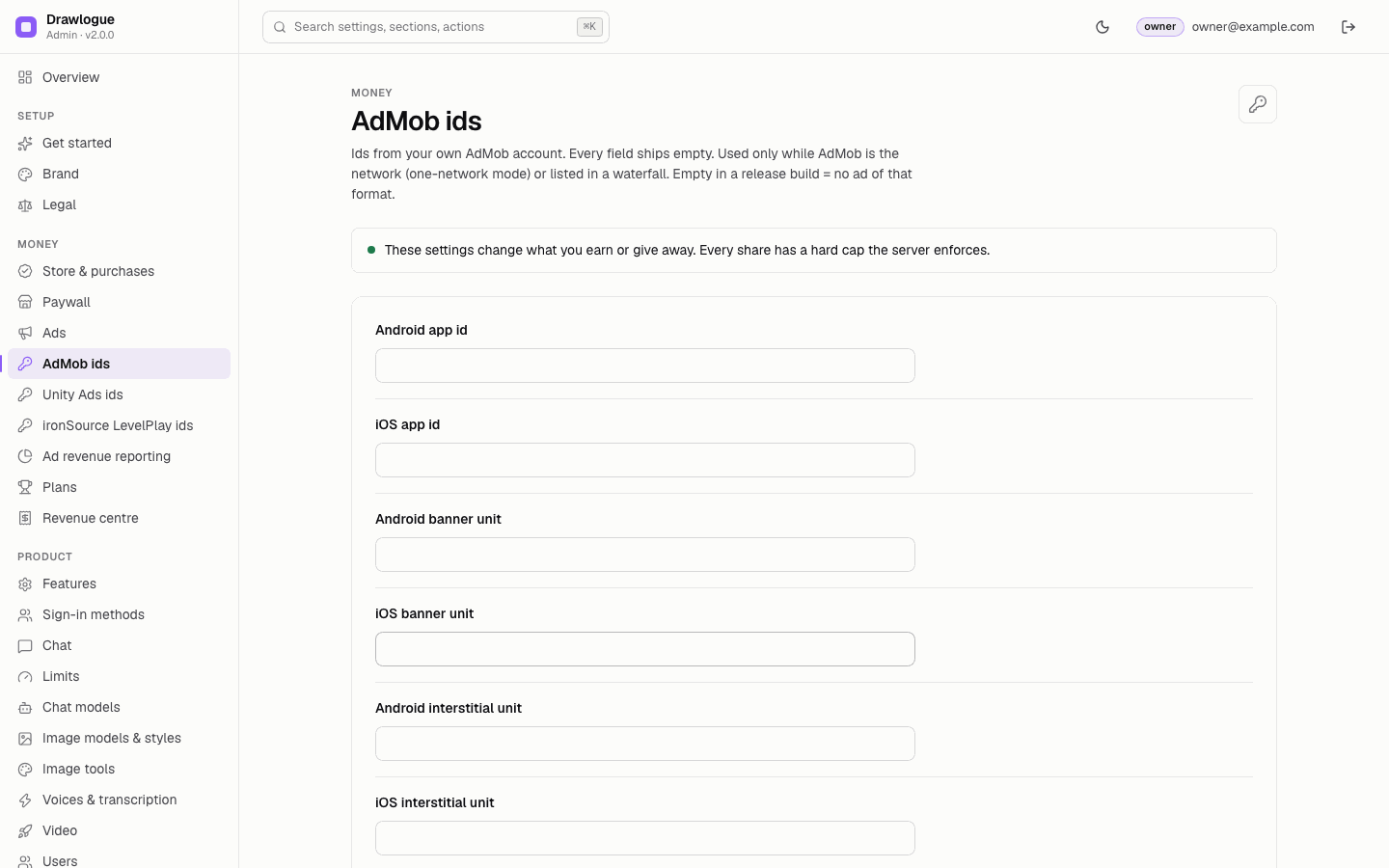
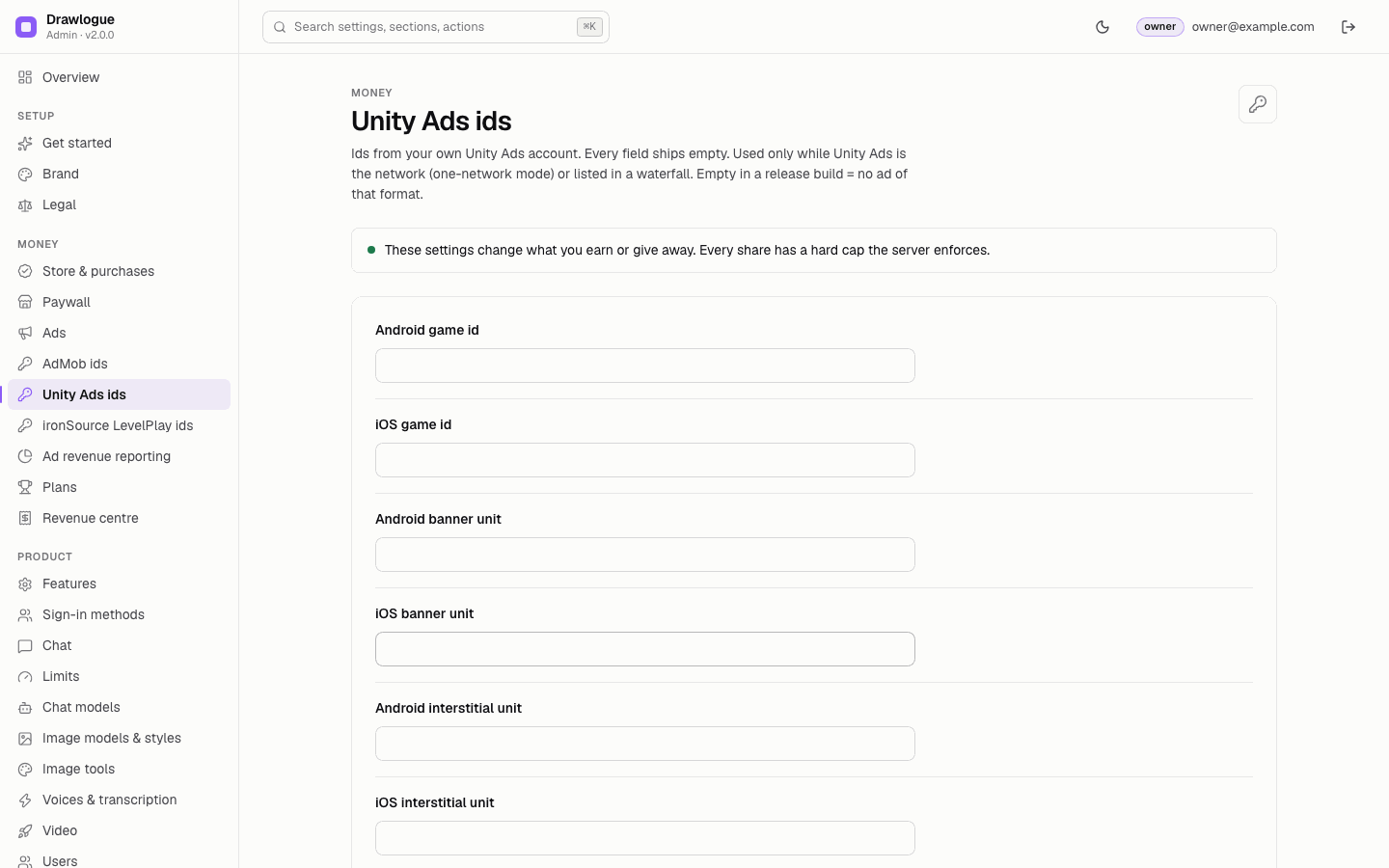
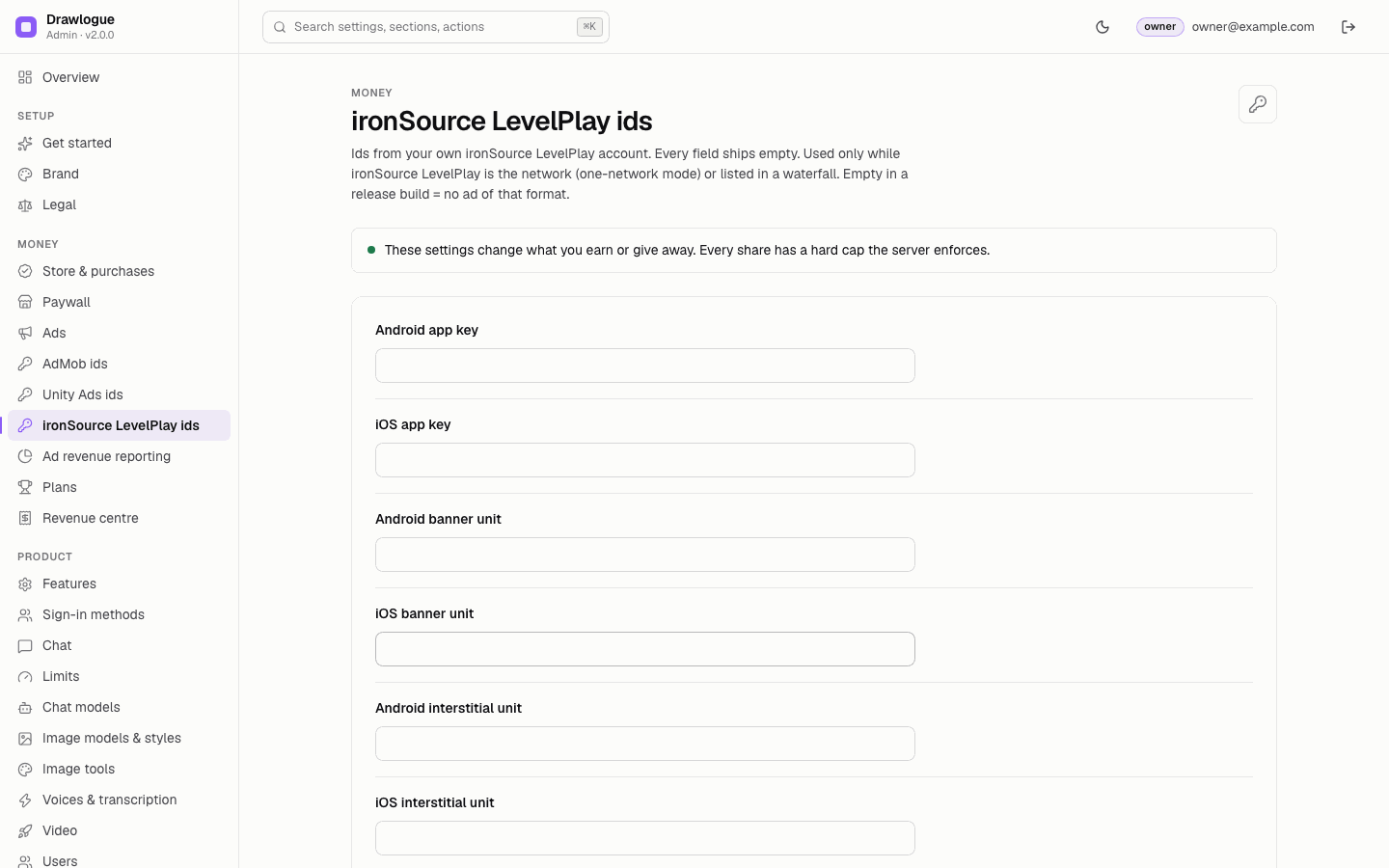
- Ad unit idsConsole → the page of your network: banner, interstitial, rewarded, native and app-open units for Android and iOS (Unity Ads and LevelPlay have banner, interstitial and rewarded only). Where to find them: AdMob, Unity Ads, LevelPlay.
- Unity and LevelPlay need a rewarded unitThe app uses Unity Ads or LevelPlay only when the game id / app key and the rewarded unit are set for the platform.
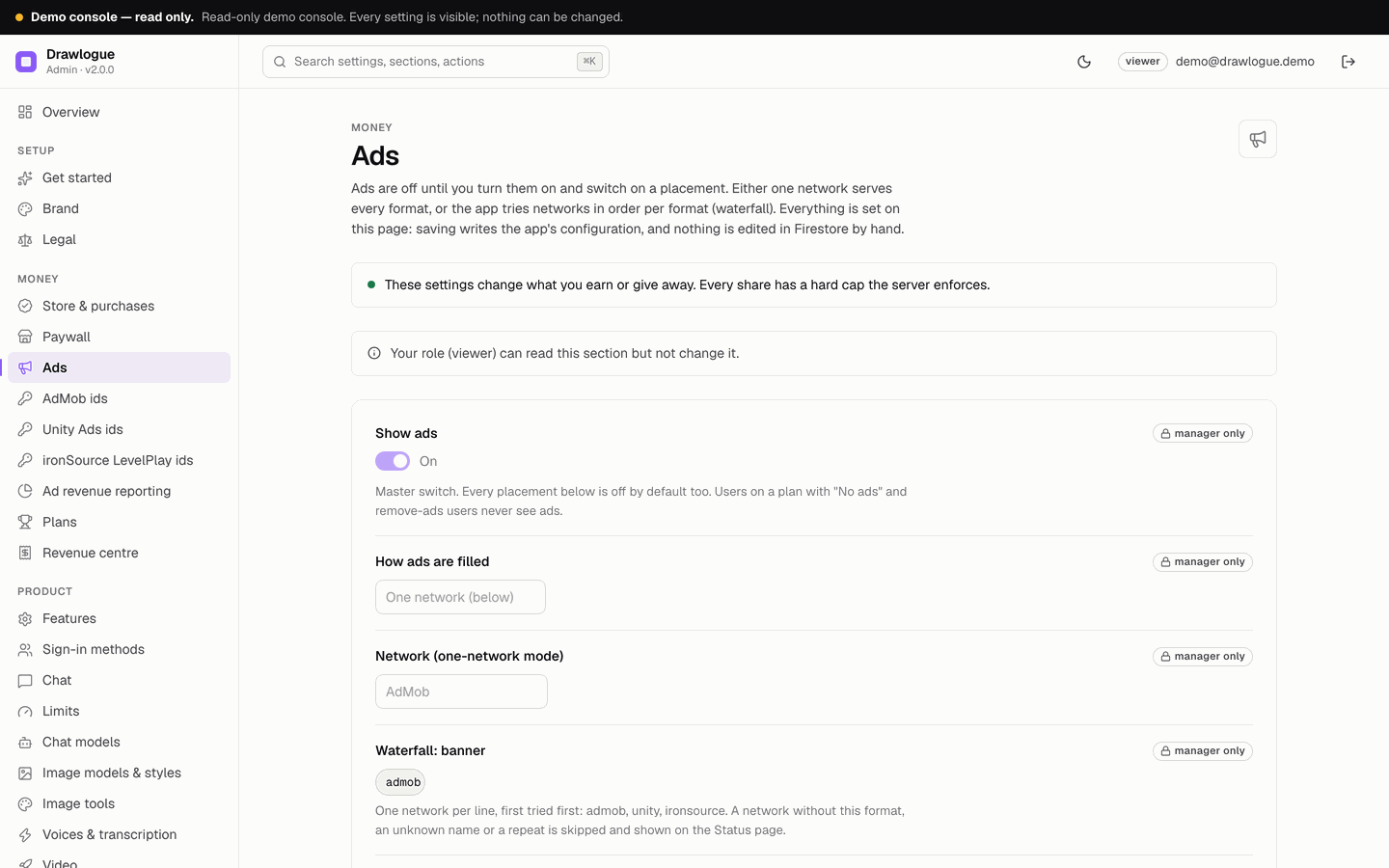
- One network or a waterfallConsole → Ads → How ads are filled: "One network" uses the network you select for every format; "Waterfall per format" tries the listed networks in order (one per line, first tried first). Exact rules and an example: Waterfall.
The three id pages of the console. Every field starts empty; fill only the networks and formats you use.
08Waterfall: the exact network names
A waterfall is set up entirely in the console. You type the lists on Console → Ads and click Save changes; the console writes them to Firestore for you. Nothing on this page asks you to open the Firebase console or to edit JSON. The JSON further down is shown only so that a developer can see what the console writes.
Set up a waterfall in the console
- Enter the ids firstFill the id pages of every network you want in the list (Step 2). A network without ids is passed over.
- Open the Ads pageConsole → Ads.
- Choose the modeHow ads are filled → Waterfall per format.
- Type the listsIn each field Waterfall: banner, interstitial, rewarded, native and app open, write one network name per line, the one to try first at the top. The accepted names are in the table below.
- SaveClick Save changes in the bar at the bottom.
- CheckConsole → Status → App config written to Firestore must be green. If a line was skipped, this check names it.
- Restart the appClose the app fully and open it again; it reads the new lists when it starts.
The accepted names
In waterfall mode each format has its own list on Console → Ads, one network per line, tried from the top. The console accepts exactly these names (upper or lower case):
| Write | Network | Formats it can serve in the app |
|---|---|---|
admob | Google AdMob | banner, interstitial, rewarded, native, appOpen |
unity | Unity Ads | banner, interstitial, rewarded |
ironsource | ironSource LevelPlay | banner, interstitial, rewarded |
A valid setup that prefers AdMob and falls back to the other two:
| Console field | Lines |
|---|---|
| Waterfall: banner | admobunityironsource |
| Waterfall: interstitial | admobironsource |
| Waterfall: rewarded | admob |
| Waterfall: native | admob |
| Waterfall: app open | admob |
What the console writes (for developers, read-only)
After you save, the console writes the lists to the Firestore document config/public as shown here. You do not type or edit this:
"ads": {
  "enabled": true,
  "mode": "waterfall",
  "network": "admob",
  "waterfall": {
    "banner": ["admob", "unity", "ironsource"],
    "interstitial": ["admob", "ironsource"],
    "rewarded": ["admob"],
    "native": ["admob"],
    "appOpen": ["admob"]
  }
}config/public in the Firebase consoleThe console is the only writer of this document. On every save, and every time the console starts, it replaces the whole document from its own stored settings (admin/src/sync.ts, syncConfig), so a value typed into Firestore by hand is lost at the next save and is never checked for typos. The app cannot write the document either: the Firestore rules deny it (firebase/firestore.rules). To change a waterfall, change it on Console → Ads.
What happens with a typo
Nothing fails silently and nothing throws. A line that is not valid is skipped, the rest of the list is kept, and Console → Status, check App config written to Firestore, turns red with the reason, for example:
| Line | Status message |
|---|---|
admobb | Waterfall banner line 1 "admobb" skipped: unknown network (admob, unity, ironsource). |
unity in the native list | Waterfall native line 1 "unity" skipped: unity has no native format in the app. |
admob twice | Waterfall banner line 2 "admob" skipped: listed twice. |
If every line of a format is skipped, the app uses the network selected in Network (one-network mode) for that format. In the app a network that has no ad (no fill) or reports an error is passed over, and the next one in the list is tried; when none fills, nothing is shown.
09Step 3 · Switch on placements
| Placement | Console field | Default |
|---|---|---|
| App-open ad | App-open ad | off |
| Banner on the home screen | Banner on the home screen | off |
| Banner in the gallery | Banner in the image gallery | off |
| Native ad in the assistant list | Native ad after every n assistants | 0 = off |
| Interstitial | Interstitial after every n messages; Seconds between two interstitials (minimum 30, default 120) | 0 = off; never shown while an answer streams |
| Rewarded | Rewarded ad unlocks extra messages / Rewarded ad unlocks an image | off |
Then turn on the master switch Show ads and save. Users on a plan with "No ads" and Remove ads users never see ads.
10Consent and tracking (UMP, ATT)
In plain words: in Europe and the UK you must ask users before showing personalised ads. You write that question once in your AdMob account, and the app shows it for you. The app contains the code already; what is missing until you do the steps below is the message itself.
Create and publish the consent message in AdMob
- Open the pageSign in at admob.google.com → left menu Privacy & messaging.
- Start a messageOn the card European regulations click Create (later: Manage → Create message).
- Pick your appsSelect apps → tick your Android app and your iOS app → Confirm. The apps must already be added to AdMob (AdMob click path).
- LanguagesChoose the Default language and add the Additional languages your app is offered in.
- User choicesDecide whether the message shows a Do not consent button, and whether it has a Close (do not consent) icon.
- TargetingChoose Countries subject to GDPR (EEA, UK, and Switzerland) or Everywhere.
- Name and privacy policyType a Message name (users do not see it) and add the address of your privacy policy.
- PublishClick Publish. A message saved with Save draft is not shown to anyone.
- iOS only: the tracking explainerBack on Privacy & messaging, open the IDFA card, create the explainer message for your iOS app and publish it. It appears before Apple's tracking prompt.
- Check in the appRun the app with ads switched on. Where the message is targeted (the EEA, the UK and Switzerland, or everywhere), it appears before the first ad. Settings → Ad privacy choices opens it again.
Google's own guide for these screens: Create a European regulations message. The labels are those of AdMob in November 2026.
What the app does with the answer
- The app uses Google's User Messaging Platform (part of
google_mobile_ads) to show the consent form you configure in AdMob → Privacy & messaging (for example GDPR in the EEA and UK). Users can reopen it under Settings → Ad privacy choices. The answer is also passed to LevelPlay. - On iOS,
NSUserTrackingUsageDescriptioninInfo.plistis the text of Apple's tracking prompt, which UMP shows when you enable the IDFA explainer message in AdMob. Change the wording if you like; remove the key if you do not show personalised ads on iOS, and answer App Store Connect's privacy questions to match. - Unity Ads and LevelPlay have their own privacy settings in their dashboards; read their terms.
11Rewarded ads and server-side verification
Do you need server-side verification? In plain words
Short answer: no, not to start. Rewarded ads work without it, it ships switched off, and most operators can leave it off.
A rewarded ad gives the user one extra message or one image after they watch it. Normally the app tells your backend "this user watched the ad", and the backend believes it. Server-side verification (SSV) adds a second opinion: the backend waits until AdMob itself confirms that the ad was watched. It protects against one thing only: a person who modifies the app to claim the reward without watching the ad.
| Your situation | Do you need SSV? | What to do |
|---|---|---|
| You do not use rewarded ads (both rewarded placements are off, as shipped) | No | Nothing. Skip the rest of this section. |
| You use rewarded ads and keep the daily limit small (it ships as 3 per user per day) | No | Leave SSV off. The daily limit already caps what a cheater can get. |
| Your rewarded ads come from Unity Ads or ironSource LevelPlay | Not available | SSV in this app works with AdMob only. Keep the daily limit small. |
| You raise the daily limit a lot, or you suspect cheating (for example, your AdMob report shows far fewer rewarded ads than the rewarded unlocks you see under Console → Users → a user → today's usage) | Yes | Serve rewarded ads with AdMob only and switch SSV on (steps below). |
- What you risk without SSV: a cheater gets at most the daily rewarded limit (Console → Limits → Free: extra messages unlocked by a rewarded ad per day, shipped as 3) in extra messages or images per account per day, and you pay your AI provider for those requests. Nothing else is exposed, and the limit applies whether SSV is on or off.
- What SSV asks of you: one setting on each rewarded ad unit in AdMob, one switch in the console, and a backend that AdMob can reach over HTTPS. After the ad the user waits a few seconds until AdMob's confirmation arrives. Rewarded ads from Unity Ads or LevelPlay stop unlocking anything while SSV is on.
- You can decide later. The console switch can be turned on or off at any time and takes effect the next time the app starts; no app update is needed.
How a reward is confirmed (technical detail)
How the reward is confirmed depends on the network:
| Network | How the reward is confirmed |
|---|---|
| AdMob, SSV off (default) | The app reports the completed ad; the backend issues a single-use reward token (valid 10 minutes). |
| AdMob, SSV on (optional) | The backend issues the token only after AdMob's signed callback for that ad has arrived. |
| Unity Ads, ironSource LevelPlay | Trusted from the app. Drawlogue has no server-side verification for these networks; the app reports the completed ad and the backend issues the token. |
Every rewarded unlock, verified or not, counts against Free: extra messages unlocked by a rewarded ad per day (Console → Limits, default 3 per user). With Unity Ads or LevelPlay a modified app could claim rewards without watching ads, up to that daily cap. Keep the cap low, or serve rewarded ads with AdMob and switch SSV on.
Switch on AdMob SSV
- AdMobAdMob → your rewarded ad unit → Server-side verification → callback URL
<API_BASE_URL>/v1/rewarded/ssv→ Verify URL → Save (click path). - ConsoleAds → Rewarded ads: server-side verification (AdMob SSV) on, Save.
- Only AdMob for rewardedWith SSV on, every rewarded unlock waits for AdMob's callback. Use it only when AdMob serves all rewarded ads (one network AdMob, or AdMob alone in the rewarded waterfall); a Unity or LevelPlay rewarded ad would then never be confirmed.
- How it worksThe app sets the ad's SSV
user_idto the user's id andcustom_datato a random nonce. The backend checks the callback's signature with Google's published keys. Until the callback has arrived, the app's request answers404 not_found("The reward is not confirmed yet. Try again in a few seconds.") and retries.
12Common ad problems
Ads do not show although the setup looks right
Go through these in order; the first one that fails is usually the cause.
- Status pageConsole → Status, check Ad ids set for what is switched on. It names every id a release build still needs, for example "Release builds show no ad without these ids — AdMob: androidBanner, iosBanner", and says "Ads are on but every placement is off" when no placement is switched on.
- Master switch and placementConsole → Ads: Show ads on, and the placement itself on (banner on home, interstitial every n messages, and so on). Save.
- The app has the new settingsThe app reads the configuration when it starts, and the API caches it for 60 seconds. Close the app fully and open it again.
- The user may see no adsUsers on a plan with "No ads" and users who bought Remove ads never see ads. Test with a free account.
- Interstitial timingAn interstitial needs the set number of messages and the minimum seconds since the last one (default 120), and never appears while an answer is streaming.
- Release build with an empty unitA release build has no test fallback: an empty unit id means no ad of that format.
- Unity Ads or LevelPlayThey are used only when the game id / app key and the rewarded unit are set for that platform.
- The network has no ad yetNew ad units and accounts often show no fill for hours, and AdMob serves limited ads until your app and account are reviewed and
app-ads.txtis verified. Consent matters too: in the EEA and UK a user who has not answered the consent form gets no personalised ads. - Device logRun the debug build with
flutter runand read the device log (Android Studio Logcat or the Xcode console). The network SDKs print their own load errors there, for example AdMob's "Ad failed to load" with an error code (3 = no fill). An exception inside an adapter is logged underdrawlogueasad admob:,ad unity:orad ironsource:.
Test ids shipped in a release build
- AdMob app id: the native files ship Google's test app id. A store build with it shows no paid ads. Run
tool/check_ad_ids.sh --releasefromapp/before every store build; it fails while the test app id is still there. - Unit ids: the app has no built-in unit id, so a build of any kind shows test ads only if someone typed a Google test unit into the console. Before release check the three id pages: no value may start with
ca-app-pub-3940256099942544. - Unity Ads: test mode is on only in debug builds. Make sure test mode is not forced for your game id in the Unity dashboard's testing settings.
- Never test with your own live ads in a release build; add your phone as a test device in each network instead.
SSV callbacks never arrive
With Rewarded ads: server-side verification on, the app shows the rewarded ad, then asks the backend for the reward up to 8 times, 2 seconds apart. If AdMob's callback has not arrived by then, the user gets no reward.
- Callback URLAdMob → the rewarded ad unit → Server-side verification: exactly
<API_BASE_URL>/v1/rewarded/ssv, over HTTPS, reachable from the internet (not localhost, not an emulator). Press Verify URL: the backend answers200to AdMob's test. - Console switchConsole → Ads → Rewarded ads: server-side verification (AdMob SSV) on and saved. Without it the callback answers
404"Server-side verification is not enabled." - Right ad unitThe SSV URL is set per ad unit. The unit in Console → AdMob ids → rewarded must be the one that has the callback.
- Only AdMobUnity Ads and LevelPlay never send AdMob callbacks. With SSV on, the rewarded waterfall must be
admobonly. - LogsFirebase console → Functions → Logs for
/v1/rewarded/ssv: no request at all = AdMob cannot reach the URL;400 Invalid signatureorAdMob SSV keys unavailable= the function cannot load Google's verifier keys (check outbound network). - DelayAdMob usually calls within seconds, but it can be slower on new ad units. Test on a real device with a test device id, not in the web demo (SSV is off in demo mode).
More answers: Troubleshooting → rewarded ads.
13Ad revenue in the console
Ad revenue is "not measured" unless you connect AdMob reporting (Console → Ad revenue reporting: AdMob publisher id and AdMob API OAuth credentials) and pull finished days on the Revenue centre page, or record payouts by hand with a reference (the way to record Unity Ads and LevelPlay income). Nothing is estimated.
14Network approval
Each network reviews your app and account before serving real ads, and pays under its own terms and thresholds. While you wait, keep testing with test ads; never click your own live ads.