
Plans and paywall.
Your plans, the stores' prices.
A plan is a subscription you sell to your users, for example "Pro" or "Max". You can offer up to four, each with a rank, its own allowances and its own store products per period. The paywall shows them with the prices the stores report; you never type a price. Every plan ships inactive, and plans are sold only through Google Play and App Store in-app purchase.
01How plans work
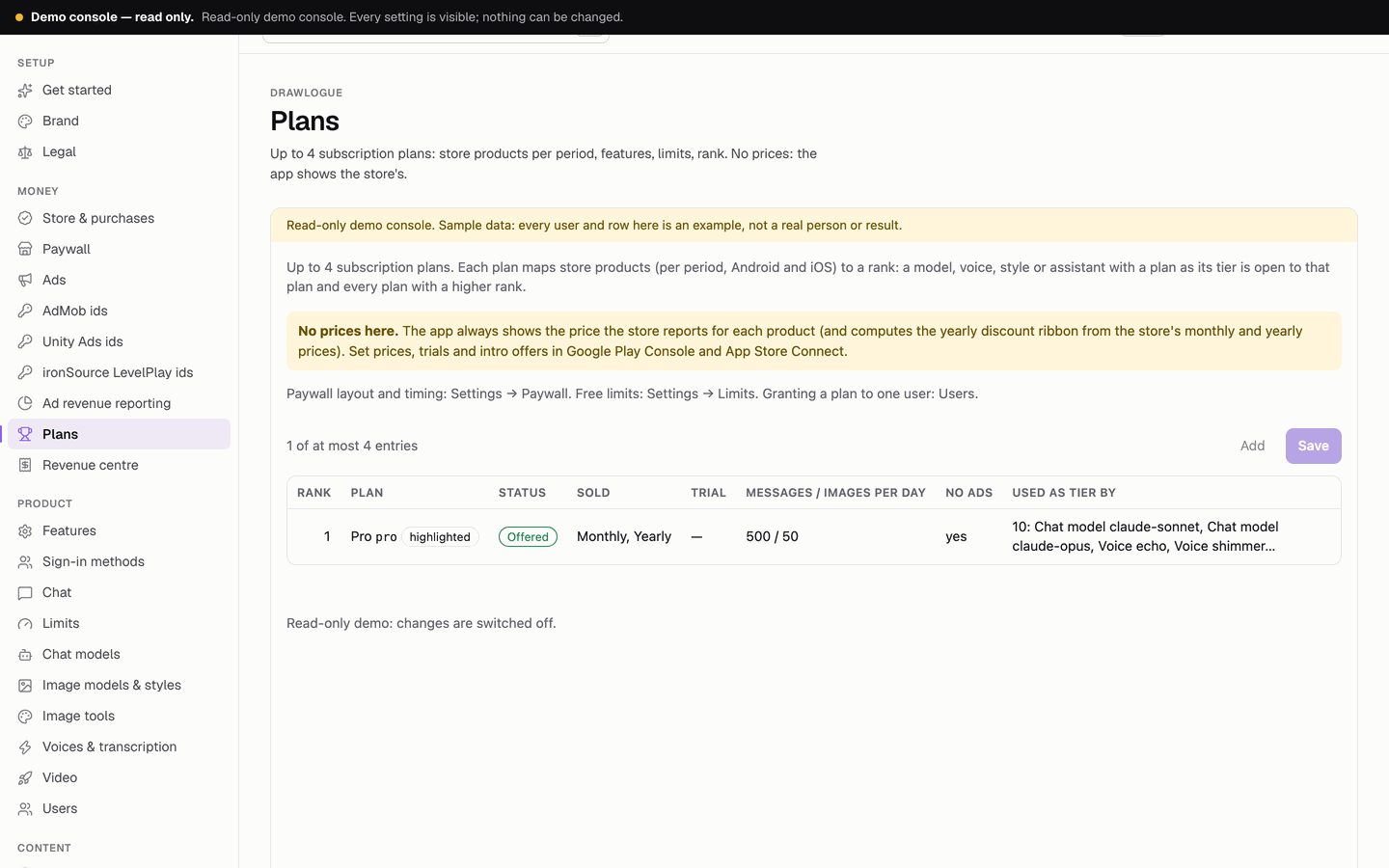
- One example plan ships: "Pro", rank 1, highlighted, inactive, sold monthly (
pro_monthly) and yearly (pro_yearly), with the allowances listed below and no ads. Rename it, change it, or add up to three more. - No price field anywhere. You create products with prices in Google Play Console and App Store Connect; the app reads the prices from the store in the user's currency.
- A plan is offered only when it is Active, sells at least one product, and Sell in-app purchases is on (Console → Store & purchases).
- Every allowance has a number. A plan is never unlimited.
02Ranks: what a plan unlocks
Each plan has a rank from 1 to 10 (unique). Anything in the console with a tier (chat models, image models, assistants, voices, video models, image edit models, caption styles, Discover briefs) is either free or the id of a plan. A user can use it when their plan's rank is at least that plan's rank. Example with "Plus" (rank 1) and "Max" (rank 2): a model with tier plus is open to Plus and Max users; a model with tier max only to Max users.
When a user taps something above their plan, the app opens the paywall with the cheapest plan that unlocks it selected. A plan that is still used as a tier cannot be removed or renamed; the console says where it is used.
03Plan fields
| Field | Rules | Shown in the app |
|---|---|---|
| Id | Lowercase letters, digits, - or _; free is reserved. Do not change it later. | No |
| Name, tagline | Up to 24 and 60 characters | Paywall, plan tabs, menu, Settings |
| Rank | 1–10, unique | No (decides access) |
| Highlight, colour | At most one highlighted plan; colour empty (accent) or #RRGGBB | Paywall |
| Store products | Per period (weekly, monthly, yearly, lifetime) and per platform (Android, iOS). Empty = not sold. Each id used once across all plans, Remove ads and credit packs. | The periods the plan sells |
| Trial days | 0–30; shown only when the store reports an introductory offer for the product | Paywall |
| Features | Up to 10 lines of up to 60 characters, each with an icon from a fixed set: sparkle, bolt, crown, star, check, chat, image, wand, video, captions, mic, speaker, news, file, cloud, shield, no_ads, palette | Paywall |
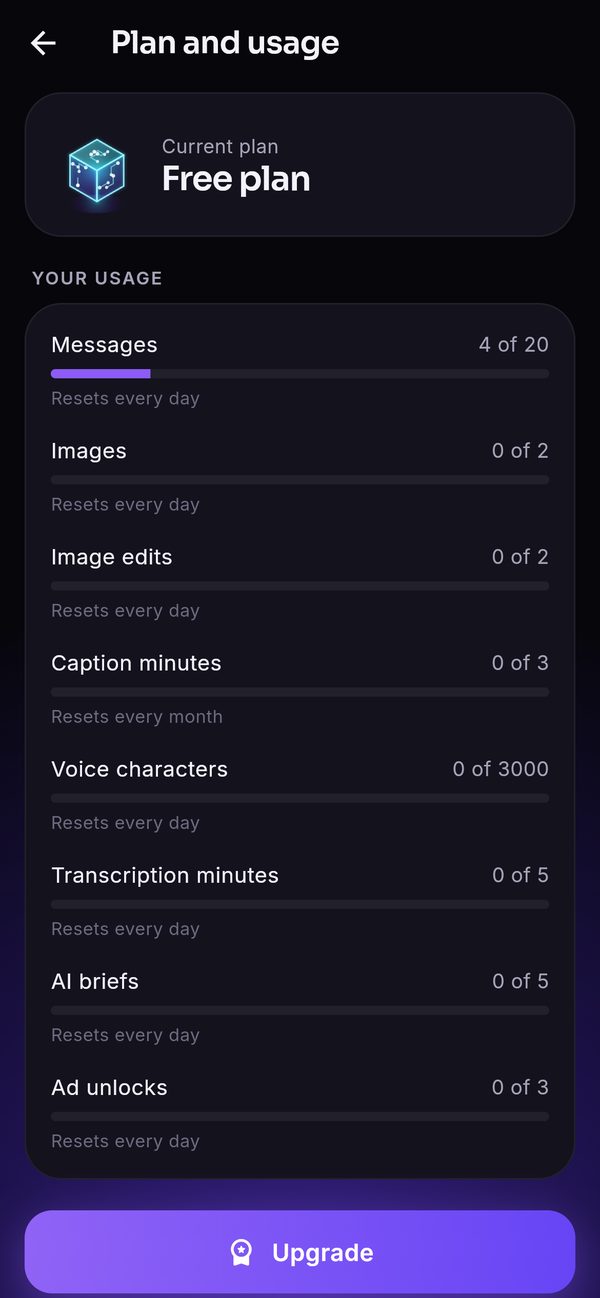
| Limits | Messages, images, image edits, natural-voice characters, transcription minutes and Discover briefs per day; AI video seconds and caption minutes per month. Example plan: 500, 50, 50, 100,000, 120, 100; 60, 60. | Paywall, Plan and usage |
| No ads | On = users of the plan see no ads | No ads |
| Active | On = offered for sale | — |
04Changing a plan that already has subscribers
Edit a plan in a live app with care: the stores keep billing your subscribers on their own schedule, while access inside the app follows what the console says now. On every request the backend works out the user's effective plan from the grant stored on the user (users.plan, written by a verified store purchase, or users.planAdmin, written by the console) and the plan's current settings; the higher rank wins. A grant counts while its end date is in the future (or it is lifetime) and a plan with that id still exists. Active only decides whether the plan is offered for sale (firebase/functions/src/api/plans.ts, effectivePlan).
| You do this in the console | Paywall and new buyers | Users already on the plan | Store billing | Do |
|---|---|---|---|---|
| Active off | The plan leaves the paywall at once; nobody can buy it through the app. | Keep every feature and limit until their current period ends. Renewals and restores are still verified and extend the period, because the backend maps the product ids of inactive plans too (planForProduct). | Continues: as of this writing both stores keep renewing existing subscribers until the subscriber cancels, even after you stop selling the product. | Also stop selling the product in Play Console (deactivate the base plan) and App Store Connect (remove from sale), and tell your users. Switching Active off alone never stops a charge. |
| Name, tagline, features, colour, highlight | Shown as edited. | Cosmetic: they see the new text at the next config load. | Unchanged. | Nothing else. |
| Limits, No ads | Shown as edited. | Apply to every current subscriber at their next request, enforced by the server. A lower limit cuts paying users at once. | Unchanged. | Raise freely; lower only with notice, or make a new plan for new buyers. |
| Rank | Decides which tiers the plan unlocks. | Access changes immediately: a rank lowered below a model's or tool's tier locks subscribers out of it. | Unchanged. | Settle ranks before launch, not on a plan with subscribers. |
| A store product id changed or removed | New purchases use the new id. | A renewal or restore of the old product id can no longer be mapped to a plan ("Unknown product"), so the subscriber keeps access only until the current period ends, then becomes a free user while the store may still charge. | Continues for the old product until cancelled. | Keep the old id on the plan (in another period slot or the other platform slot) until the store product is retired and the last subscription has ended. |
| The plan id changed, or the plan removed | Gone. | Every grant with the old id is ignored: those users are free immediately, while the store keeps billing them. The console refuses this only while the plan is still a tier somewhere; it does not know your subscribers. | Continues. | Never do this with active subscribers. Switch Active off instead, and delete only when the stores show no active subscription. |
Two more facts matter here. There is no scheduled re-check of subscriptions: a subscription ends in the app when its end date passes without a verified renewal (the app verifies the renewals the stores deliver while it runs, and Restore purchases re-verifies). And you can compensate a user at any time: Console → Users → grant a plan writes planAdmin, which counts like a store grant and wins when its rank is higher (Users).
The stores' rules decide what happens to the subscription itself; read their current help before you act: Google Play Console: subscriptions, App Store Connect: manage subscriptions.
05Store products for each period
Each period of each plan is a separate product in each store. Use the same id on both platforms if you can; the console accepts different ids per platform.
| Period | Google Play | App Store |
|---|---|---|
| Weekly, monthly, yearly | One subscription per period, with one auto-renewing base plan of that period | An auto-renewable subscription of that duration; all periods of one plan in one subscription group |
| Lifetime | One-time product | Non-consumable |
Click by click: Google Play Console and App Store Connect.
06The discount ribbon
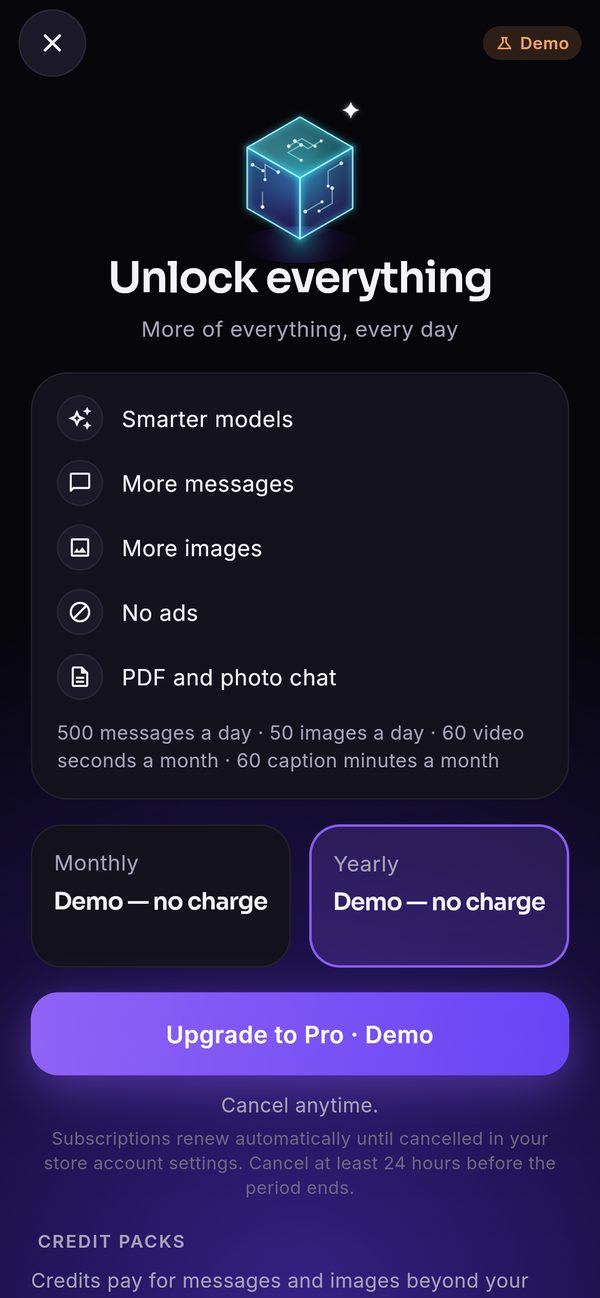
On the yearly card the app can show a ribbon such as "17% OFF" and the struck-through price of twelve months. Both are computed in the app from the store's own monthly and yearly prices of the same plan, so they always match what the store charges. There is no ribbon when either price is missing or the saving is under 5 %. You cannot type a discount.
07The paywall
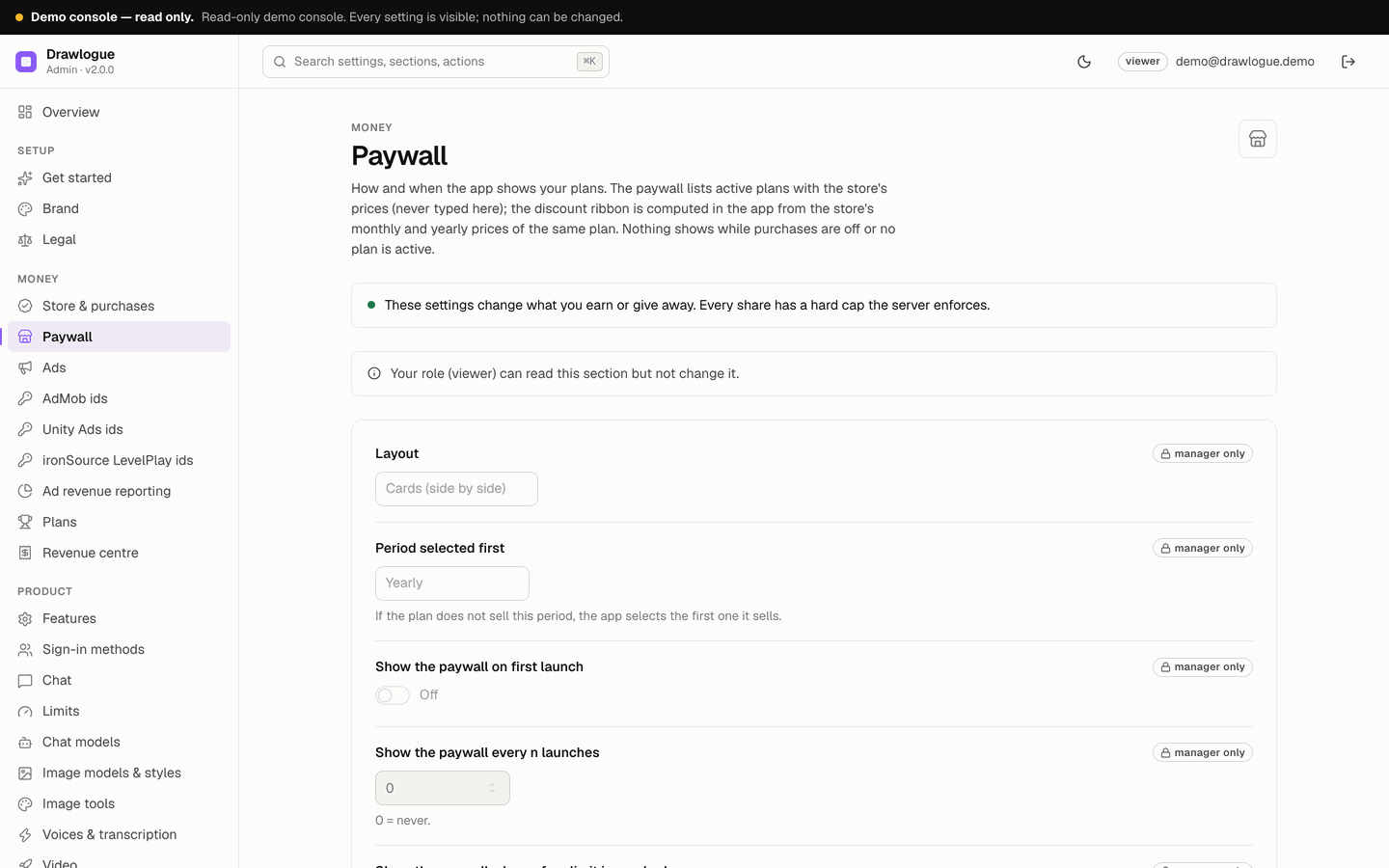
Console → Paywall decides how and when it shows:
| Setting | Default |
|---|---|
| Layout: cards (side by side) or list (stacked rows) | Cards |
| Period selected first | Yearly (or the first period the plan sells) |
| Show on first launch / every n launches / when a free limit is reached | off / 0 (never) / on |
| Seconds before the close button appears (most 5) | 0 |
| Title, subtitle, line under the buttons | "Unlock everything", empty, "Cancel anytime." |
With more than one plan on sale, the paywall shows plan tabs. Below the plans it lists the credit packs and Remove ads, and it always has Restore purchases, Terms and Privacy. Nothing shows while purchases are off or no plan is active.
08Credit packs and Remove ads
- Credit packs S, M and L (product ids
credits_small,credits_medium,credits_large; 50, 200 and 600 credits by default): consumable, bought again and again. A verified pack is never credited twice. - Remove ads (
remove_ads): one-time, hides every ad.
Both are set on Console → Store & purchases and sold only while Sell in-app purchases is on.
09Start selling, step by step
- Plan the plansDecide names, ranks, which periods you sell and the allowances. Look at Usage & spend: an allowance should not cost you more in provider fees than the plan earns.
- Create the store productsIn Play Console and App Store Connect, with the prices you want (click paths).
- Set up verificationStore keys in Console → Store & purchases (In-app purchases).
- Enter the plansConsole → Plans: product ids per period and platform, features, limits, rank, Active. Then Paywall.
- Switch onConsole → Store & purchases → Sell in-app purchases on. Save. Status → "Plans are sellable" should pass.
- TestWith licence testers (Android) and a sandbox account on TestFlight (iOS) before you go live.